Mixing engineers
Walk away from the speakers and check your mix in the kitchen, in the car, on AirPods. No bouncing, no AirDrop, no exporting stems. Just open the app and the mix comes through.

Hear your mix on your phone or share it with remote clients anywhere.
Free local streaming forever.
PCM lossless, Opus, or AAC. Pick your codec and quality level. Sub-20ms latency over Wi-Fi.
Momentary, short-term, integrated. Platform loudness targets for Spotify, Apple Music, YouTube built in.
Send your mix to any AirPlay speaker. Monitor on HomePod, AirPods, car stereo, Bluetooth speakers.
Full-screen metering in landscape mode. See your levels clearly from across the room.
PCM for critical listening. Opus for bandwidth efficiency. AAC for Apple ecosystem compatibility.
AU, VST3, AAX. Works in Pro Tools, Logic Pro, Ableton Live, REAPER, Cubase, and any DAW that supports standard plugin formats.
A free DAW plugin transmits. The free phone app receives. PCM lossless, Opus, or AAC — over Wi-Fi or relay.
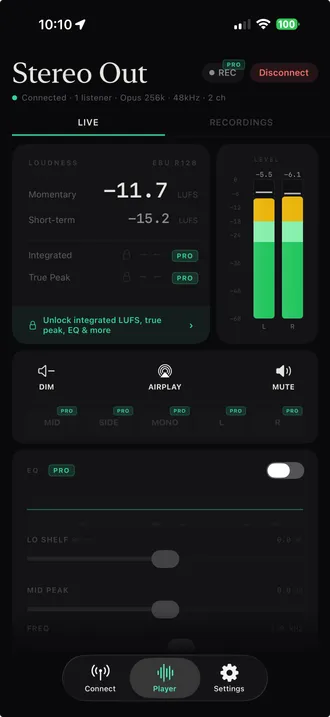
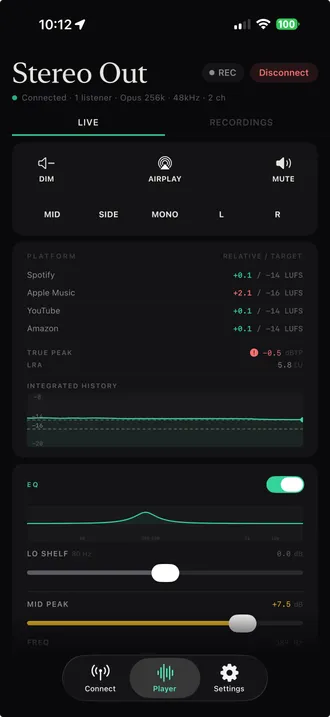
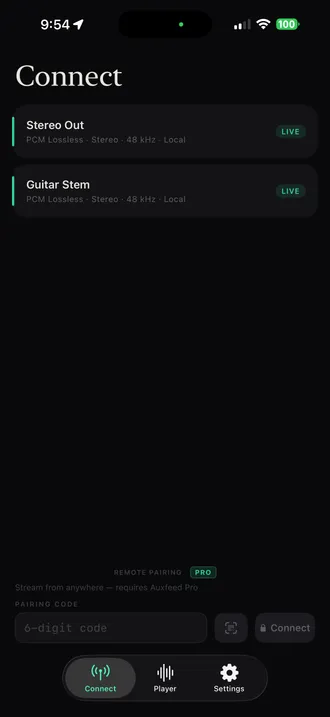
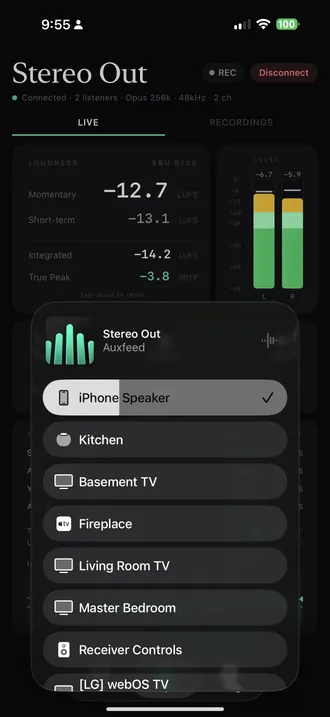
Engineers monitor on phones because the phone is what listeners actually use. Auxfeed makes that step take 30 seconds instead of 30 minutes.
Walk away from the speakers and check your mix in the kitchen, in the car, on AirPods. No bouncing, no AirDrop, no exporting stems. Just open the app and the mix comes through.
Monitor a client session on phone-grade speakers without leaving the chair. Hear what 80% of the audience will hear before you commit to a master.
Demo a beat for a vocalist on AirPods while you keep working in Logic Pro. They hear the playback, you keep editing — no DM, no screen-share, no reset.
Hear yourself the way listeners will. Monitor on a Bluetooth speaker, AirPods, or a $20 earbud and catch tone problems your studio monitors lie about.
Stream the FOH mix to a phone for the artist, the producer in the green room, or the director three rooms away. Wi-Fi, no extra hardware, free.
Setup walkthroughs for every major DAW, plus the translation, loudness, and tooling deep-dives engineers actually look up.
How streaming your DAW to a phone works, latency expectations, free vs paid options, security.
AirPlayPlugin → iPhone → HomePod / Apple TV / AirPods. Setup, latency, per-DAW tips.
Budget setupWhy translation beats fidelity for bedroom producers — and the 4-device test that proves it.
Logic ProFree, real-time, no exports. Step-by-step setup with AirPods routing.
Pro ToolsAAX plugin, Wi-Fi or relay, AAC for the lowest CPU on Apple silicon.
Ableton LiveVST3 in the Master device chain. Sub-100ms latency on local Wi-Fi.
TranslationWhen AirPods help, when they lie, and how to A/B against monitors.
TranslationPhone speakers roll off below 400 Hz. Here's how to fix translation issues.
LoudnessMomentary, short-term, integrated. Spotify, Apple Music, YouTube targets explained.
Audiomovers alternativeAuxfeed vs LISTENTO, OMNIBUS, INJECT, and Binaural Renderer. Honest tradeoffs across the family.
vs LISTENTOFree vs $10/mo. Feature-by-feature comparison with honest tradeoffs.
vs SonoBusBoth are free. Different design tradeoffs — when each is the right call.
Everything every listener needs
$0
For producers sharing beyond Wi-Fi
$9.99/mo
or $79.99/yr (save 33%)
More in our support FAQ and setup guides.
Free download. No account required. No trial expiration.
Download Auxfeed Free