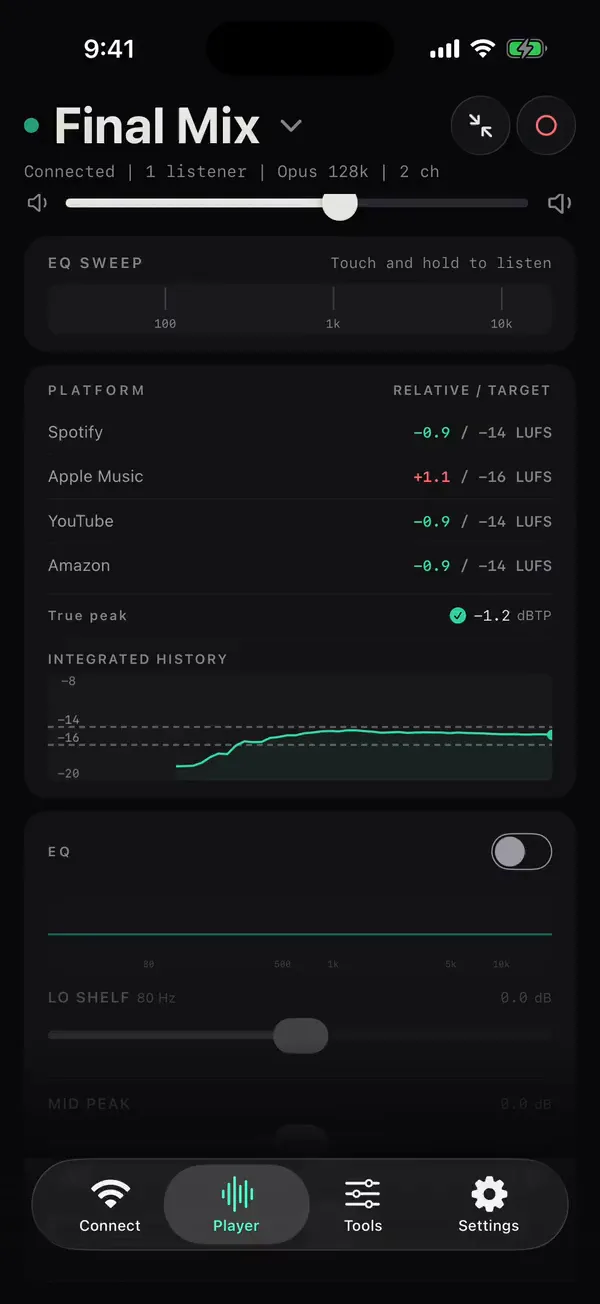
One plugin. One button. Your mix, live.

Listen free on your phone over Wi-Fi, or go Pro to work with clients anywhere in the world.

Download Free

How the Auxfeed plugin works

Load it as an insert.

Put Auxfeed on a track or on the master, like any other plugin. AAX, AU and VST3 on macOS; AAX and VST3 on Windows.

macOS 10.13.6 and later on Intel, macOS 11 and later on Apple silicon, and Windows.

Name it and press Start.

Call the stream Final Mix, pick a codec, press Start Streaming. The meters move as soon as audio plays.
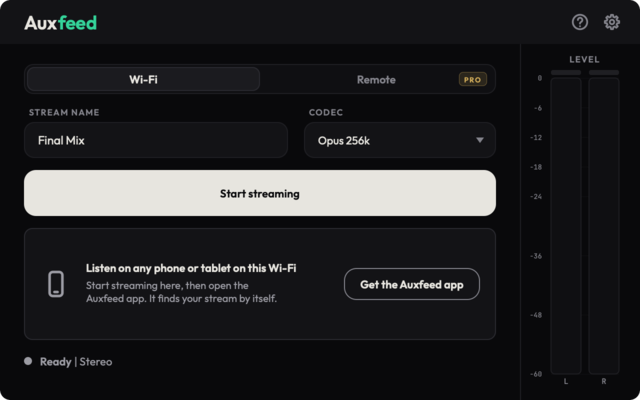
Auxfeed plugin idle in Pro Tools with a Start Streaming button and level meters

Scan and listen.

Point a phone camera at the QR code, or send the share link. It opens in the Auxfeed app or a browser. Listeners never need an account.
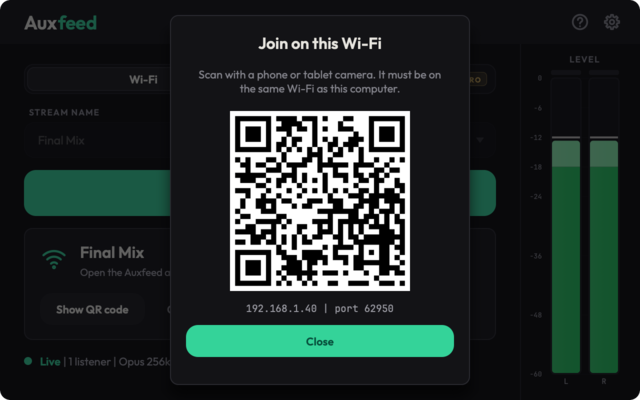
Auxfeed plugin showing the Connect on this Wi-Fi QR code to scan with a phone camera

Your DAW mix on your phone

The same stream on iPhone, Android or in a browser, with its own meters.
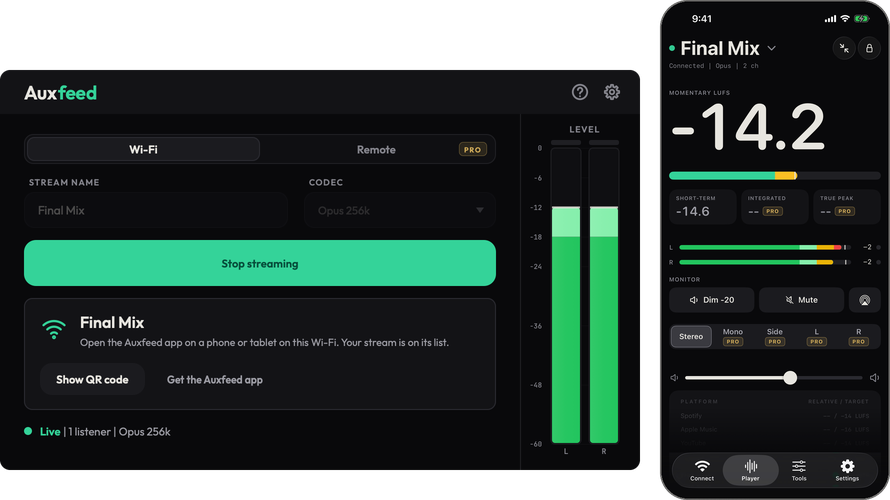
Auxfeed plugin in Pro Tools next to the Auxfeed iPhone app playing the same Final Mix stream

Stream quality: lossless PCM, Opus and AAC

Lossless when the Wi-Fi allows it. Opus when it does not: 64k to 320k when the network is weak, and always on Remote. AAC from the Mac plugin to iPhone and iPad. You pick; the plugin's status line names what is streaming.
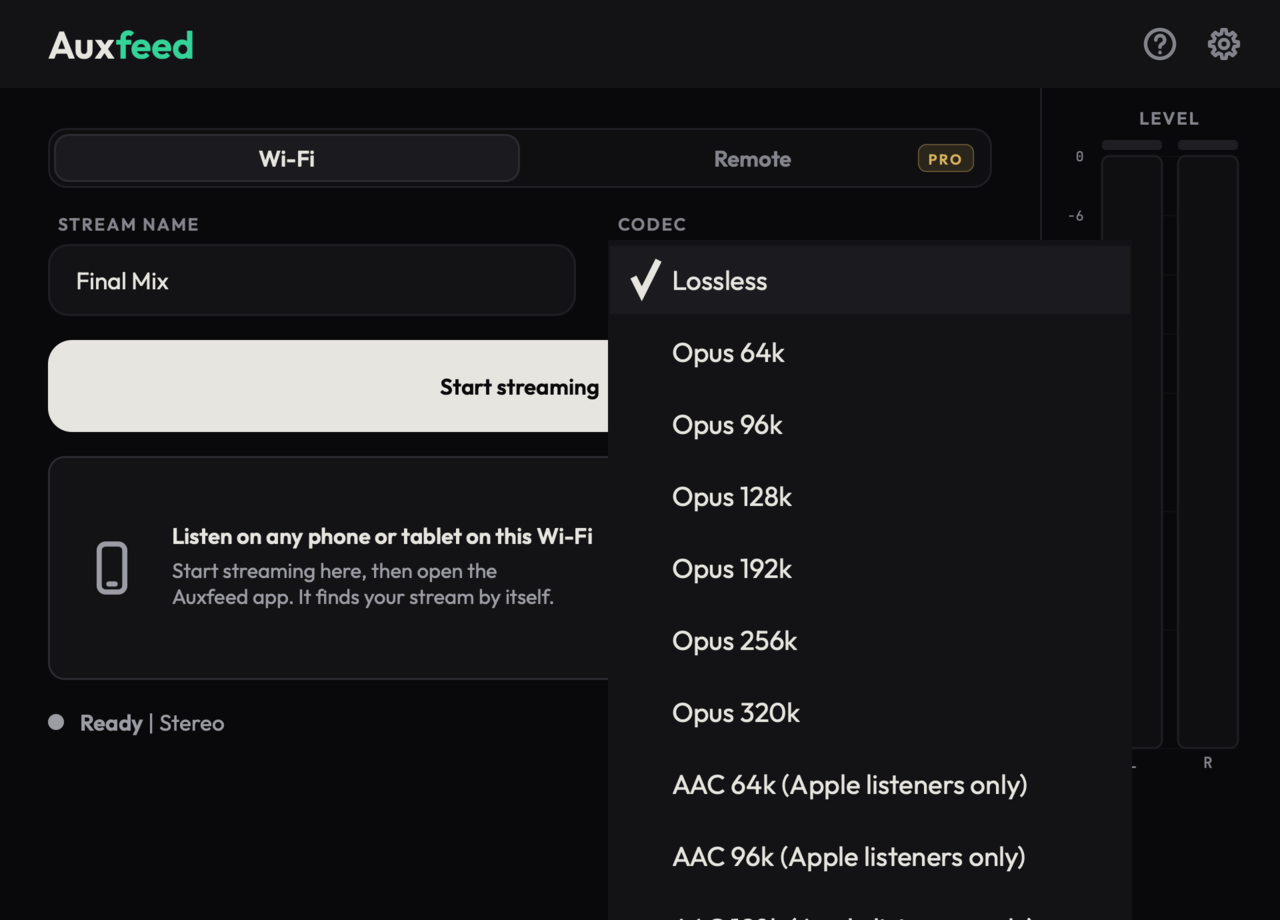
The Auxfeed plugin codec menu, open: Lossless at the top (selected), then Opus 64k to 320k, then AAC for Apple listeners.

Three ways to stream

Choose lossless for maximum fidelity, Opus for bandwidth efficiency, or AAC on Apple devices.

Codec Quality Bandwidth Platforms
PCM Lossless Uncompressed, any sample rate. Wi-Fi only; Remote always uses Opus. ~3.1 Mbps (stereo 48 kHz) All
Opus Excellent at 128-320 kbps 64-320 kbps All
AAC Good at moderate bitrates 64-320 kbps Mac + iOS only
Pro

Remote streaming to clients, with Auxfeed Pro

Clients in other cities. Switch to Remote and your stream reaches listeners on any network, with no VPN and no port forwarding. Remote needs Pro. Listening on your Wi-Fi stays free.
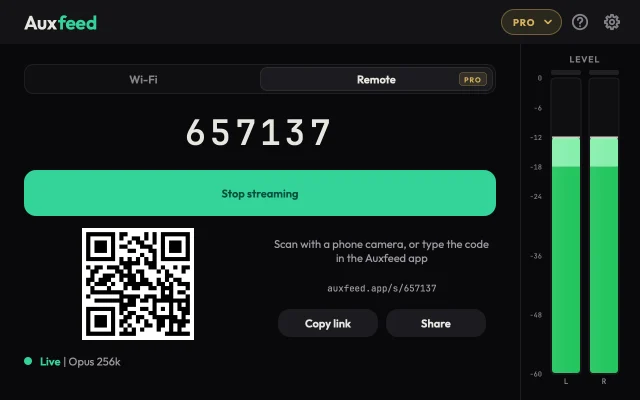
The Auxfeed plugin on the Remote tab, live: a 6-digit code, a QR code, Copy link and Share buttons, and the level meters.
In your DAW The plugin on Remote: a code, a QR code and a link to send.
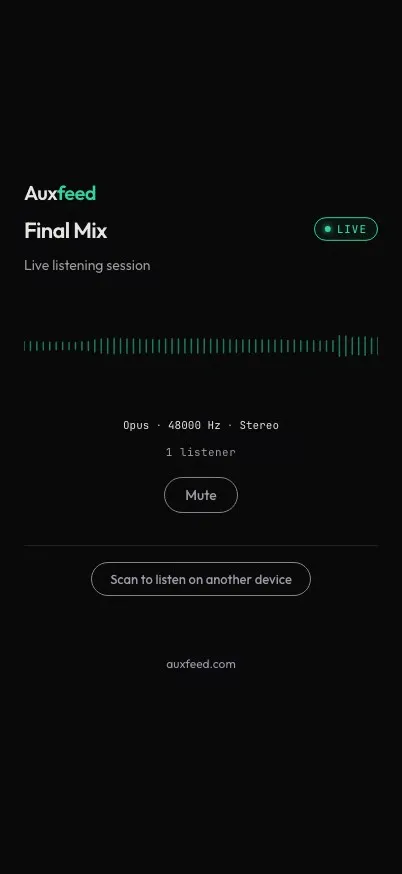
The Auxfeed web player in a phone browser, playing the stream Final Mix live.
In their browser The mix plays live. Nothing to install, no account.

Everything the plugin does, free

No account and no time limit. Pro adds Remote streaming and the tools on the phone.

Wi-Fi streaming to your phone
The free Auxfeed app on iPhone, iPad and Android finds the stream on your Wi-Fi by itself, or scan the QR code.
Lossless, Opus or AAC
Lossless PCM on Wi-Fi, Opus from 64k to 320k, and AAC from the Mac plugin. The status line names what is streaming.
Stereo to 7.1.4
Stream mono, stereo or surround up to 7.1.4 (12 channels), with a meter for each channel.
One stream per insert
Put Auxfeed on more than one track or bus, and each one streams on its own, under its own name.
Recording is your call
One switch in the plugin decides whether listeners can save a recording of your stream.
Made for the session
Your audio passes through untouched, and a saved project starts streaming again when you reopen it.
Auxfeed Pro

Take your ears anywhere

Remote access, advanced analysis, and recording. Everything you need to stay in the mix no matter where you are. $9.99/mo or $79.99/yr — 7-day free trial on the annual plan.
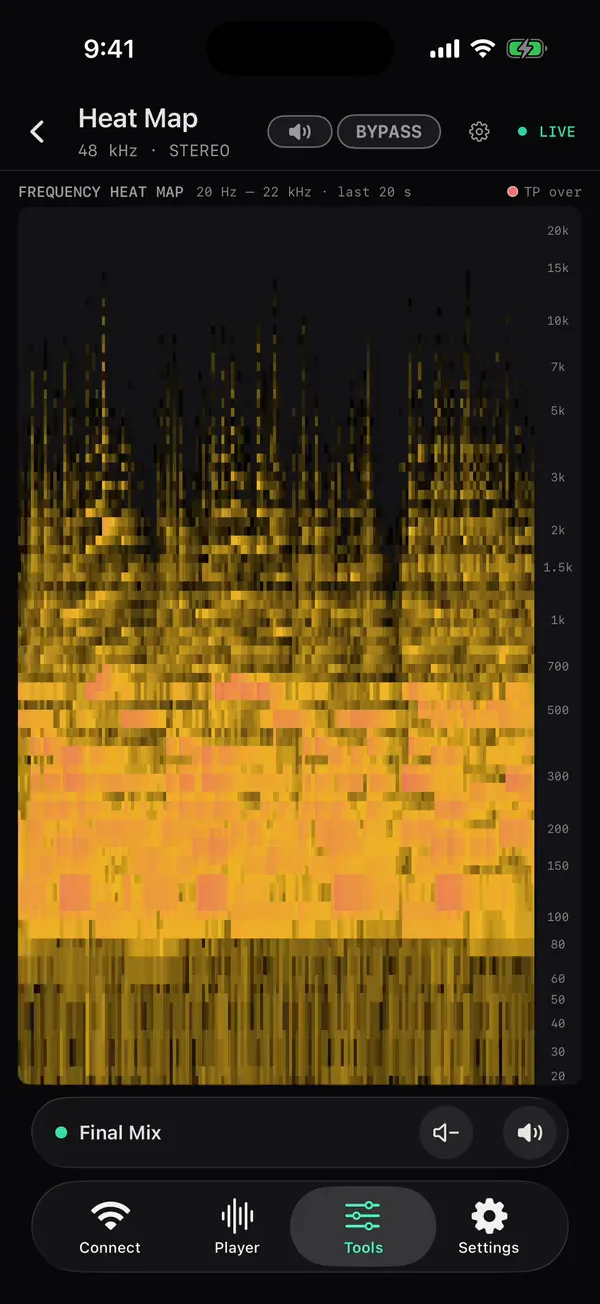
Heat Map in the Auxfeed iPhone app, live on a mix
Heat Map
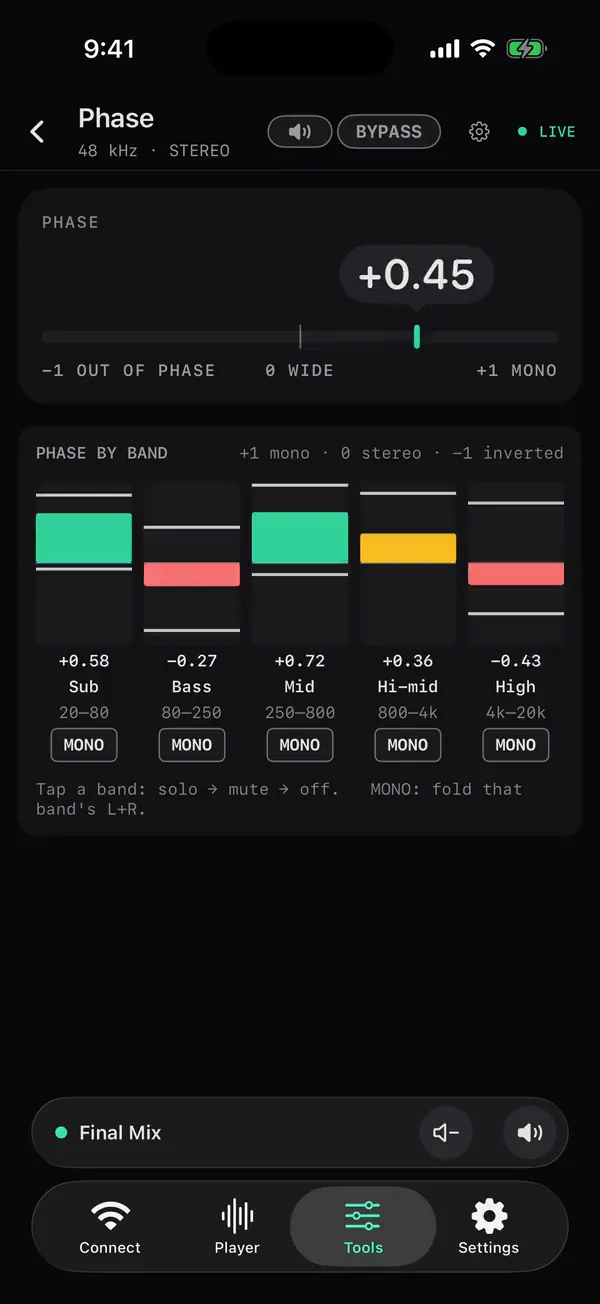
Phase in the Auxfeed iPhone app, live on a mix
Phase
Loudness in the Auxfeed iPhone app, live on a mix
Loudness
Remote Streaming via 6-Digit Code
Switch to Remote and send a link or a 6-digit code. Up to 10 listeners anywhere, one stream at a time, through the Auxfeed relay: no VPN and no port forwarding.
Mid / Side Monitoring
Listen to the mid, side, or mono signal in isolation. Check stereo imaging and compatibility without leaving the session.
L / R Solo & Mono Check
Solo the left or right channel independently. Mono check collapses to center — hear exactly what a mono device will play back.
3-Band EQ
Low shelf, swept mid and high shelf to sweep a band and find the problem frequency on the phone. Your mix bus is untouched.
Record Streams to WAV
Capture any Auxfeed stream directly on your phone as a full-quality WAV file. Perfect for capturing ideas or documenting a mix. Available when the broadcaster allows it.
Loudness, spectrum, heat map and phase
Integrated LUFS and true peak against streaming targets, a live spectrum, a 20-second heat map and phase by band, on the phone in your hand.

Works in your DAW

AU on macOS, VST3 and AAX on macOS and Windows. Put it on any track or on the master bus.

  • AU Mac
  • VST3 Mac and Windows
  • AAX Mac and Windows
  • Logic ProAUMac
  • Pro ToolsAAXMac and Windows
  • Ableton LiveVST3 / AUMac and Windows
  • Studio OneVST3 / AUMac and Windows
  • REAPERVST3 / AUMac and Windows
  • Cubase / NuendoVST3Mac and Windows
  • FL StudioVST3Mac and Windows
  • Bitwig StudioVST3Mac and Windows
  • GarageBandAUMac

And any other host that loads AU, VST3 or AAX.

System requirements

Platform OS Architecture Formats
macOS macOS 10.13.6 or later on Intel, macOS 11 or later on Apple silicon Apple Silicon or Intel (universal) AU, VST3, AAX
Windows Windows 10 or later x86_64 VST3, AAX

Free. No account. No subscription.

Download the plugin and app in under two minutes.

Download Auxfeed